
Animated text
Bring titles, captions and subtitles to life with motion that feels natural, without leaving the timeline.
Archord Video Editor is a powerful, easy-to-use video editor for creators, students, and professionals.
Create, edit, and share amazing videos with ease.
Bring titles, captions and subtitles to life with motion that feels natural, without leaving the timeline.
Move between scenes cleanly. Drop a transition between clips and keep your story flowing.
Mix music, voice and sound effects on separate audio tracks right next to your picture.
Style your footage with looks, import your own LUTs and add motion to clips for a polished, professional finish.
Stack layers to build richer scenes and record audio directly into your project.
Finish your edit and export your video when you’re ready, all from the same window.
Screenshots
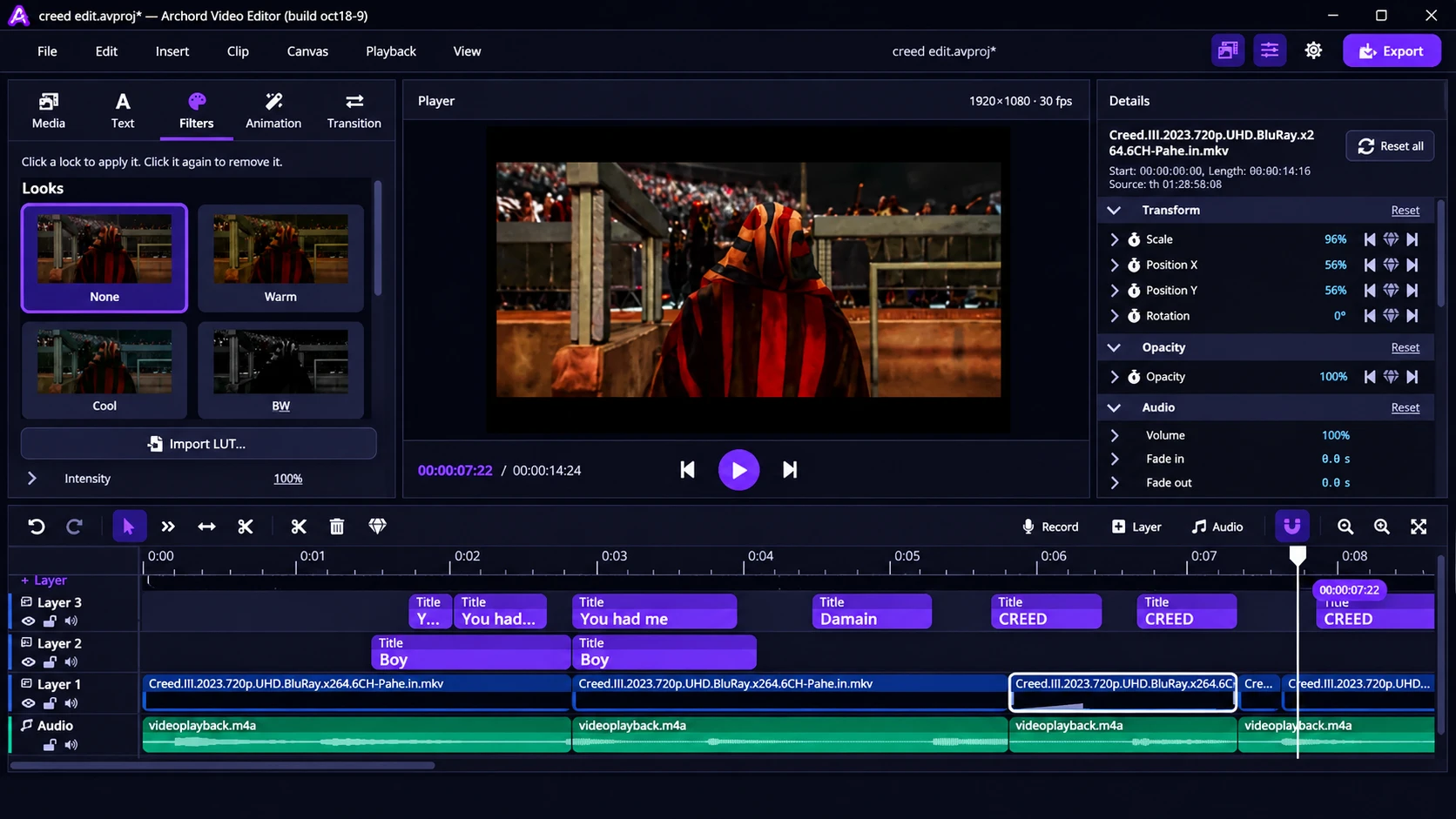
Media, text, filters, animation and transitions on the left. Live preview in the middle. Fine-tune properties on the right. Your whole edit on one timeline.
Download
Free for Windows. Install it and start editing in minutes.
Works on Windows 10 and 11 (64-bit)
About
Grab the free Windows installer from this page.
Open the .exe file and follow the short setup.
Import your media, add text and transitions, then export.
FAQ
Archord Video Editor is a fast desktop video editor for Windows. It brings animated text, transitions, filters and multi-track audio together on one timeline.
Yes. The Windows installer is free to download from this page.
Archord Video Editor runs on 64-bit Windows 10 and Windows 11. Versions for macOS, Linux and Android are coming soon.
Download the .exe installer from this page, open it and follow the setup steps. When it finishes, launch Archord Video Editor and start a new project.
You can import media, add animated text, place transitions between clips, apply filters and animations, work with layers and multiple audio tracks, record audio and export your finished video.
Those versions are in the works but have no release date yet. Check back on this page for updates.
Archord Video Editor is designed and developed by Amanuel Ayele.